
What HTML does and why it matters
HTML (HyperText Markup Language) is the language used to describe the structure and meaning of web pages. It uses tags—text wrapped in angle brackets—to mark up headings, paragraphs, lists, images and interactive controls so browsers and other user agents can render and expose content consistently. The language itself defines element types, attribute rules, and parsing behavior that make the web predictable across browsers.
Core structure you’ll use every day
A minimal, modern HTML document starts with a simple doctype declaration followed by an html root element containing head and body. The doctype declaration tells browsers to use standards (no-quirks) rendering mode, while the head holds metadata such as the document title, character set, and links to styles or scripts. The body contains the visible content and interactive elements users see and interact with.
Example skeleton: <!DOCTYPE html><html lang="en"><head><meta charset="utf-8"><title>...</title></head><body>...</body></html>.
Semantic HTML and when to use it
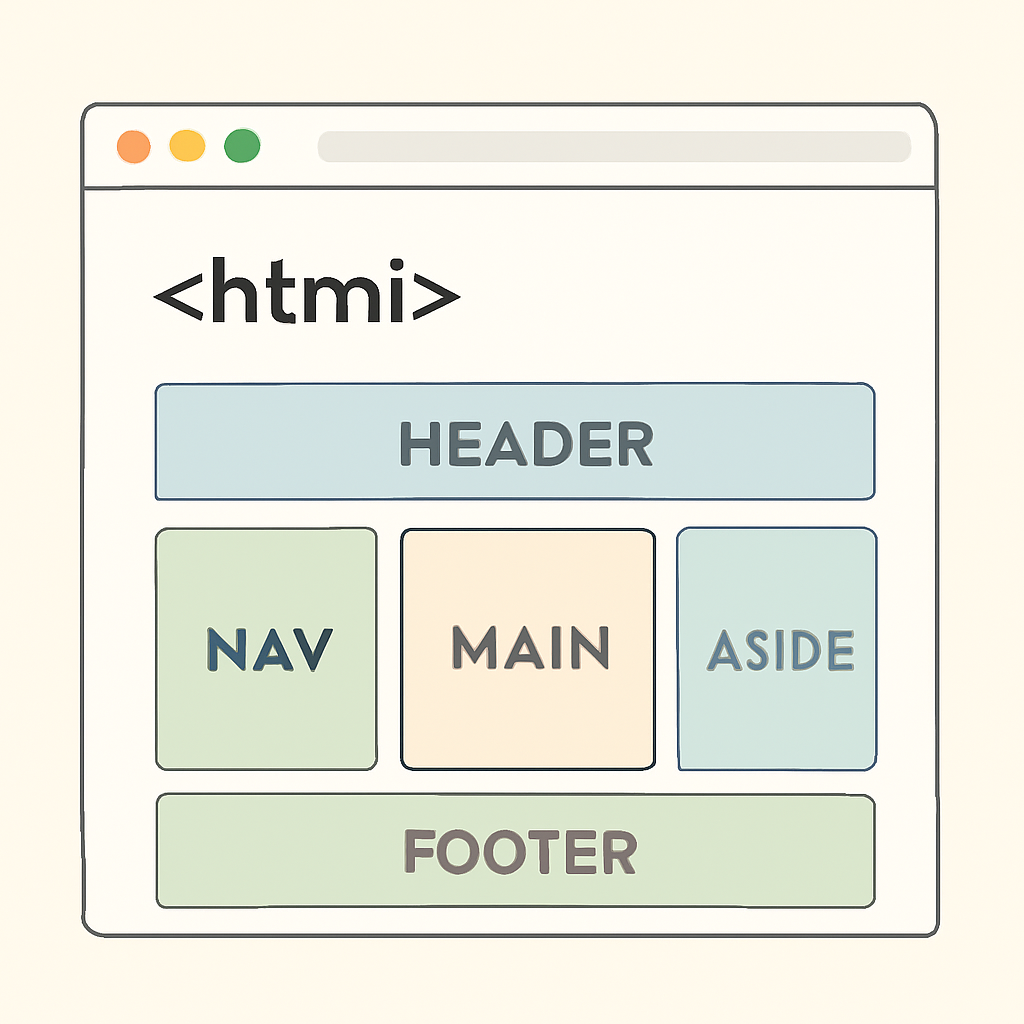
Semantic HTML means picking elements that describe the role or meaning of content rather than purely its appearance. Instead of using generic containers and classes for every region, use elements like header, nav, main, section, article, aside and footer to express structure. Semantic elements create a clearer document outline and make content easier to navigate for users and tools.
Using the right semantic tag improves maintainability, search indexing, and tooling that depends on a predictable document structure.
Accessibility: native semantics first, ARIA when needed
Accessible sites rely first on native HTML semantics. Many semantic elements implicitly create landmarks and roles that assistive technologies can use for fast navigation. When you need UI behaviors not covered by native elements, use WAI-ARIA patterns carefully—but prefer native controls (for example, <button> and <label>) because they already include built-in keyboard behavior and accessibility mappings.
Also ensure documents declare a language with the lang attribute, because it helps screen readers and translation tools choose correct pronunciation and formatting.
Common practical tips and best practices
- Always include
<!DOCTYPE html>, a UTF-8 charset meta, and a validlangon the<html>element. - Favor semantic elements over generic
<div>or presentational tags; use CSS for layout and visual styling. - Use proper labels and grouping for form controls (label, fieldset, legend) to preserve keyboard and assistive-tech behavior.
- Validate your markup with a validator to catch structural or attribute errors early. Validators also help detect character-encoding, doctype, and nesting issues.
- Test with real assistive technologies (screen readers, keyboard-only navigation) rather than relying only on automated checks.
Where to learn more
Start with the living HTML specification and practical developer guides that show element details and examples. Hands-on practice—creating small pages, building forms, and checking results with validators and accessibility tools—will make the rules click much faster than theory alone.

